Davinci Resolve for Windows shows HDR content 20% too dark
Davinci Resolve 20.3.1 for Windows shows HDR content with luminance values 20% darker than reference. So, a 100 nit HDR pattern will be displayed at 80 nits in Resolve’s viewer. As a result, there is a mismatch in luminance between the HDR viewer in Resolve, and the exported video (which has the correct luminance).
I suspect it is because Davinci Resolve scales PQ HDR values using 100 nits = 1.0, while Windows DWM displays 1.0 as 80 nits in HDR.
So I believe Blackmagic Design can fix this issue by scaling pixel values by 1.25 in a linear colorspace before passing to Windows DWM.
Resolve’s darker than reference HDR luminance was verified by generating a 100 nit PQ BT2020 test pattern in Davinci Resolve, using Color Space Transform: clip at 100 nits. The exported test pattern is available here.
The 100 nit test pattern was played side by side in MPV video player and Davinci Resolve. We can see that the 100 nits pattern looks darker in Davinci Resolve.
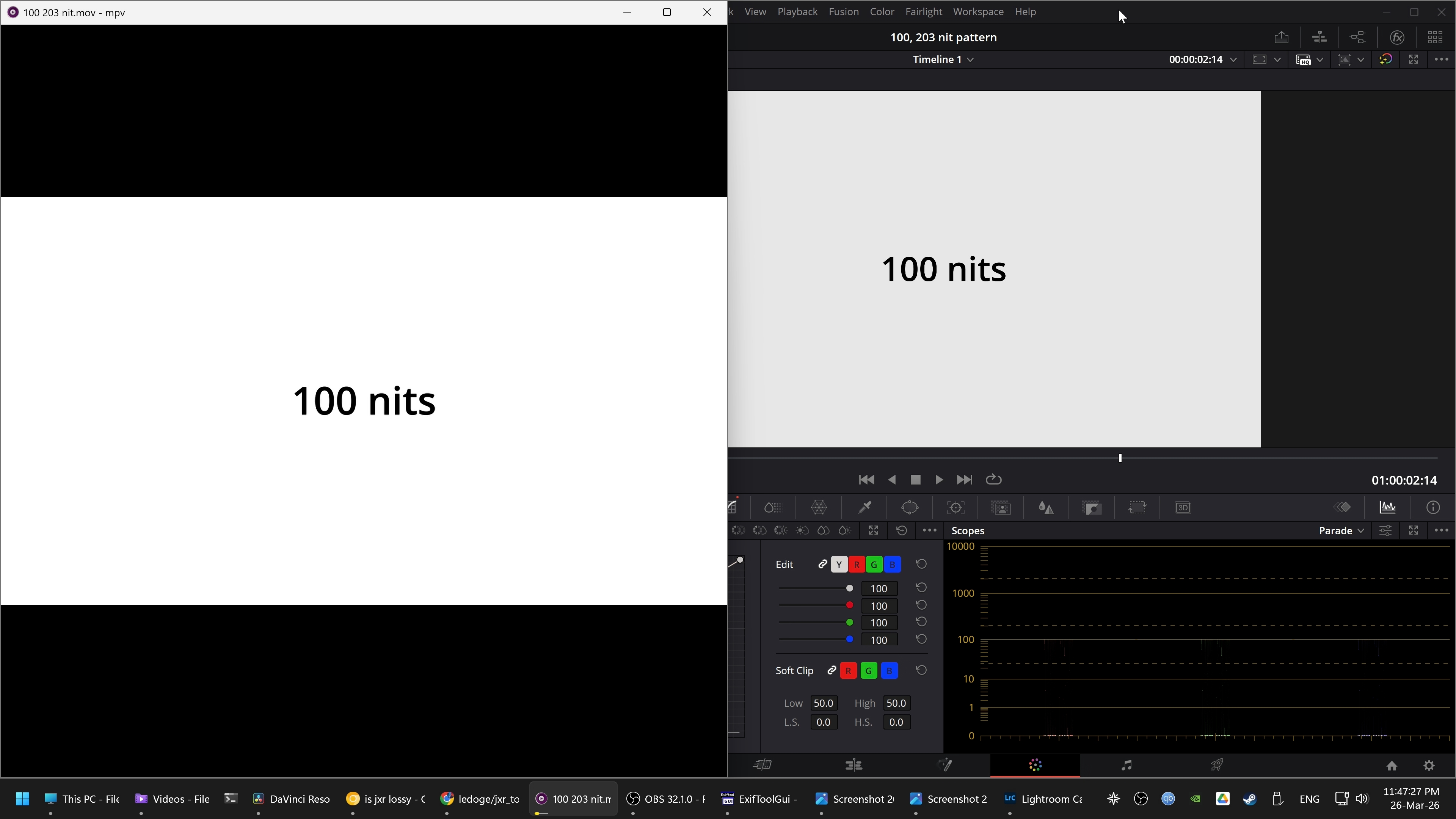
OBS was then used to record the screen in HDR (PQ BT2020), and the screen recording was imported back into Davinci Resolve. The screen recording was zoomed in so we can see the luminance of the white pattern using the scopes. The timeline colorspace is PQ BT2020.
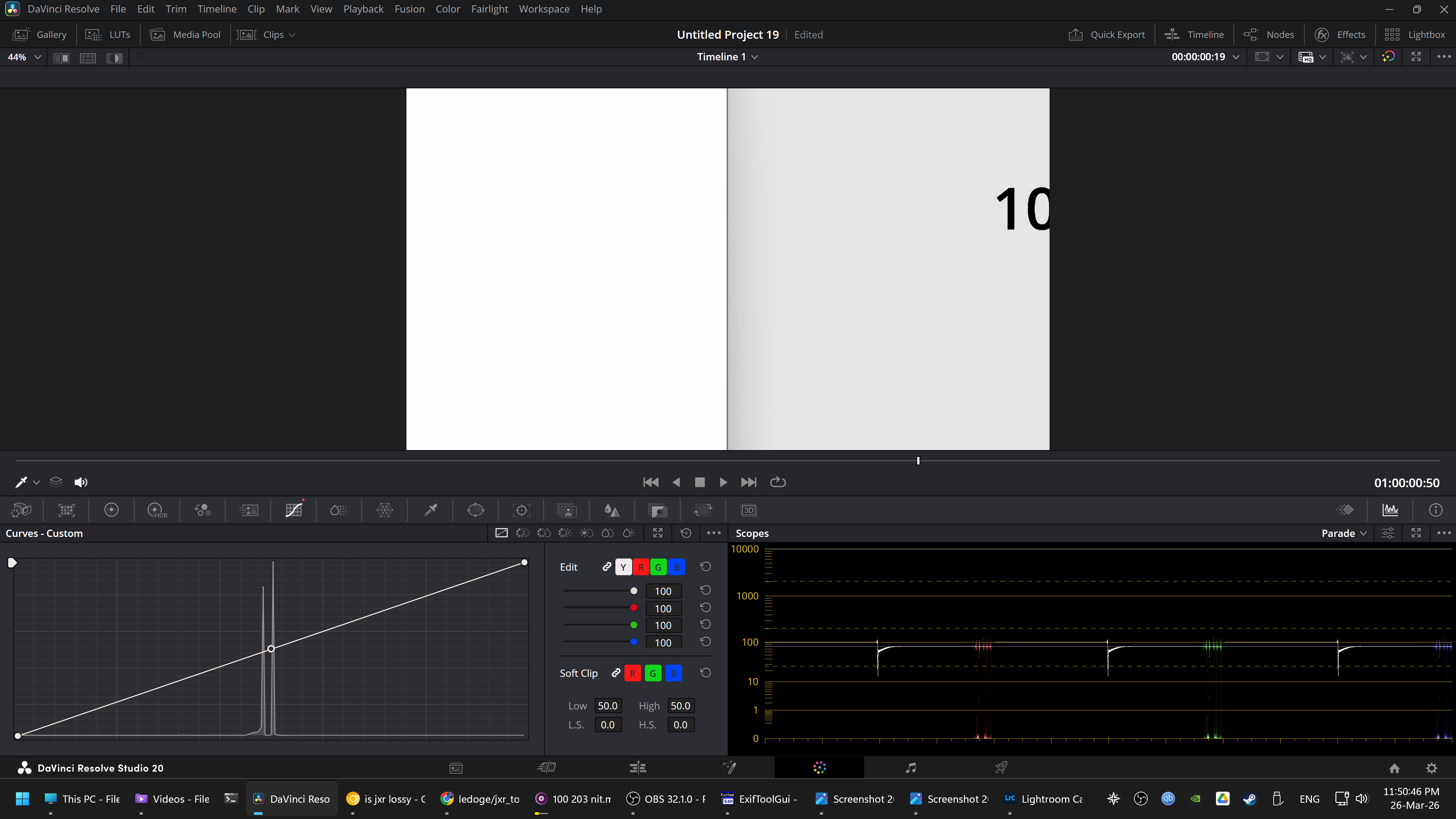
In Resolve’s ST2084 HDR scopes, we can see that the 100 nit test pattern played in MPV (on the left) renders at 100 nits, while the test pattern in Resolve (on the right) renders at 80 nits.
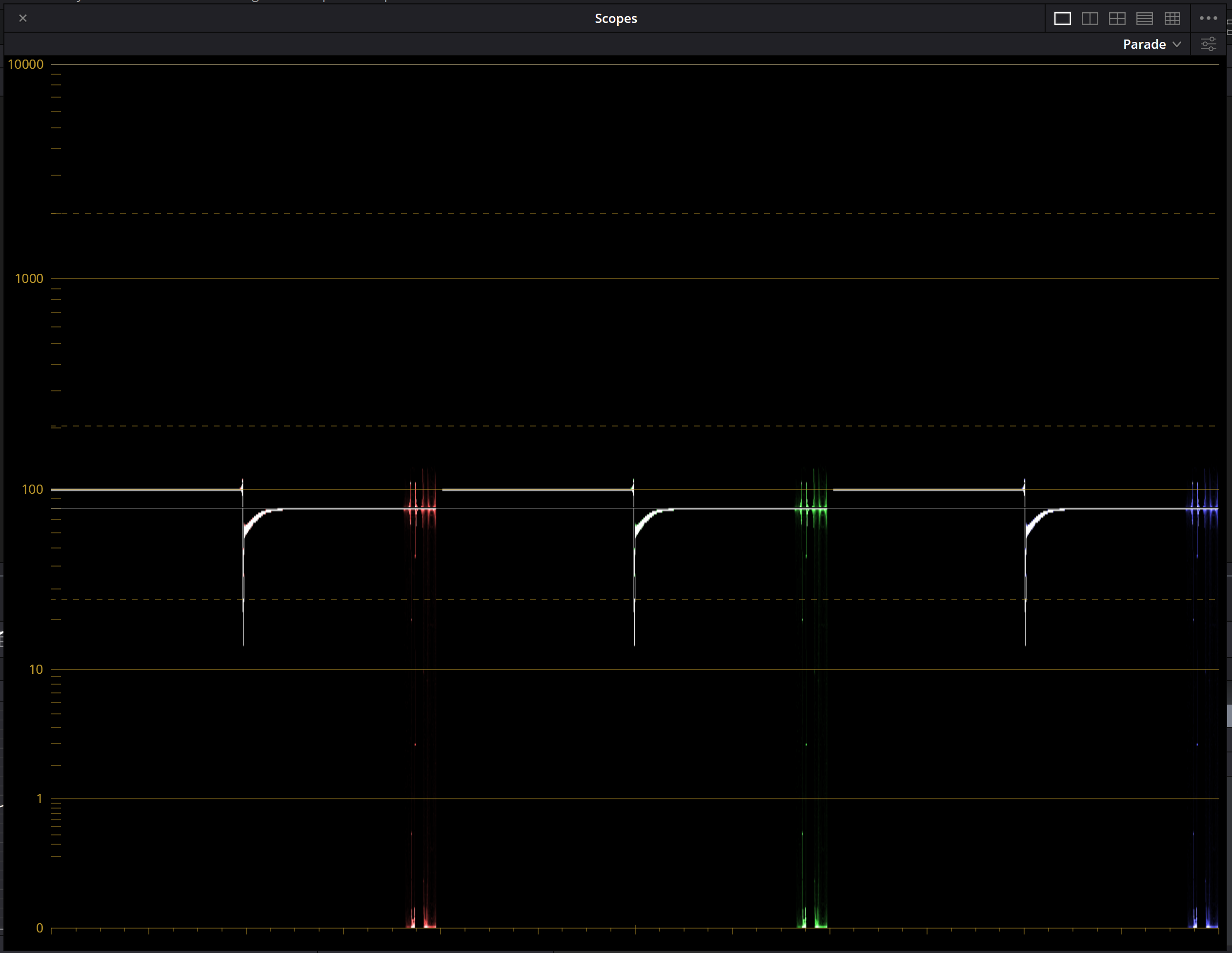
The test was repeated with a 1000 nit test image, and Resolve displays this at 800 nits.
Replicated on Windows 11 25H2 with Davinci Resolve 20.3.1, RTX 2080, HDR enabled in Windows settings and Resolve viewer (Use Windows display color management and HDR for viewers).